

Has your printer copier scanner stopped working right when you needed it the most? Have you ever been puzzled over the origins of those strange printer noises? Or perhaps you’re keen on preemptively maintaining your device to avoid any potential headaches down the line? If these are some of the questions you’ve been asking, you’ve come to the right place.
In the realm of our technically advanced world, despite our devices being designed with sophistication, they can often present us with a multitude of mysterious errors and frustrating breakdowns. One such device that holds immense importance, especially in the context of an office environment, is the humble printer copier scanner.
This guide is dedicated to enlightening the everyday user on how to sustain their printer copier scanner. We aim to provide a comprehensive, informed, and visually engaging exploration of the importance of regular maintenance, understanding your device, troubleshooting common issues and implementing preventative measures to prolong your machine’s performance and lifespan.
Why Is Regular Maintenance Essential?
Understanding the vital role regular maintenance plays can be the difference between a well-functioning device and one that’s constantly throwing tantrums. Regular upkeep not only aids in keeping your machine running smoothly, but it can also flag potential problems early, preventing costly repairs in the future.
Regularly cleaning your printer copier scanner and adhering to a servicing schedule enhances the longevity of your machine. An efficiently running device translates into crisp, clear documents and scans, thereby ensuring your office operations are never interrupted.
Efficient maintenance even has an environmental impact. It reduces the frequency of component replacement, thus reducing waste. Therefore, consistent upkeep is instrumental in maintaining your printer copier scanner, contributing to an effective workplace and a healthier environment.
Unraveling The Functionality
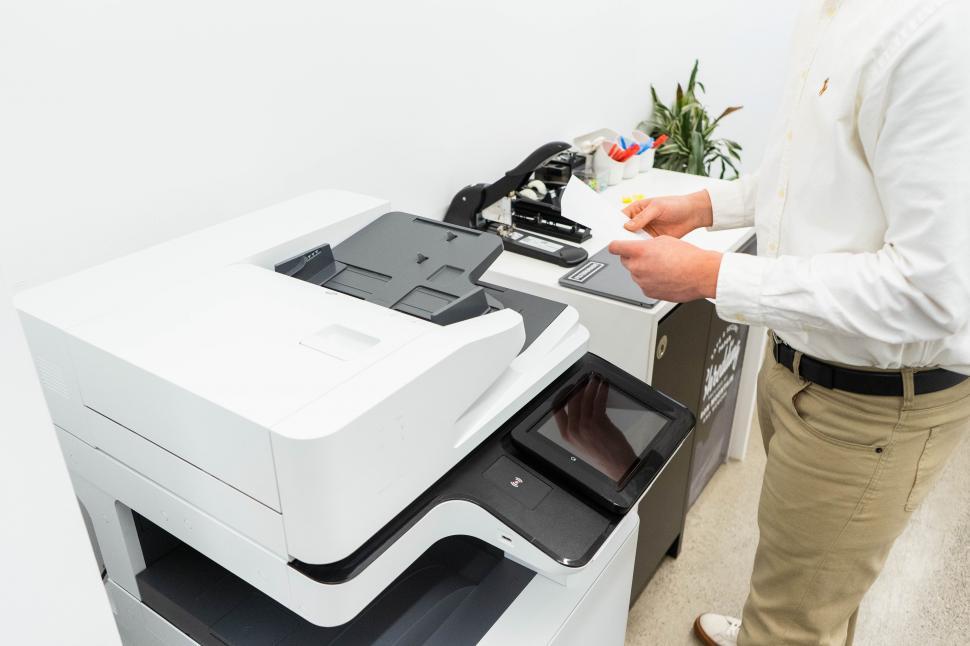
Diving a little deeper, let’s understand the internal workings of a printer copier scanner. It might seem daunting, but a basic understanding of the main components can go a long way in detecting a potential issue.
The ink or toner cartridges, for instance, should be replaced or refilled as soon as you notice the print quality deteriorating. The drum unit is another essential component; ensuring it’s clean can prevent streaks on your printed pages.
All machines accumulate dust and dirt over a period of time. Regularly cleaning the interior and exterior of your device will prevent particles from hindering your machine’s performance. These little efforts can go a long way in maintaining your machine’s performance and prolonging its lifespan.
Dealing With Common Issues
We’ve all been there. Paper jams, poor quality prints, slow printing speeds, random printer errors the troubles can seem endless. But fret not! Understanding these common issues and how to troubleshoot them can immensely help in maintaining your device.
One common problem you may encounter is the dreaded paper jam. It’s usually simply solved by carefully removing the jammed sheet. For poor print quality, checking your ink levels and cleaning your print heads might be the solution.
When dealing with slow printing speeds, ensure your device isn’t set to ‘high quality’ mode for all tasks. Lastly, if you’re encountering random errors, a machine restart or a driver update usually does the trick. Remember these quick solutions the next time you’re faced with one of these common printer gripes.
Pros And Cons Of Maintaining Your Printer Copier Scanner
As with everything, there are both benefits and challenges when it comes to maintaining your printer copier scanner. On the positive side, regular maintenance can extend the lifespan of your machine, boost performance, and save on repair costs.
On the downside, diligent maintenance might require some time and effort. You might have to invest in routine professional servicing, and endeavour to learn about your machine. But weighed against the prolonged lifespan and potential cost savings, it’s clear that the pros far outweigh the cons!
Maintenance Measures Beyond Cleaning
While cleaning is a vital part of maintenance, it’s not the only measure to consider. Updating firmware and drivers regularly can also improve the performance of your machine. Replacing components like the fuser unit or transfer kit as they age can also prevent major device breakdowns. These additional efforts can ensure the efficiency of your printer copier scanner in the long run.
Wrapping Up: The Bottom Line On Maintenance
Caring for your printer copier scanner might require some focused efforts, but the rewards will unequivocally outweigh the work. Regular cleaning, understanding your machine, tackling common issues head-on, and implementing additional maintenance measures pave the way for a smooth operating device.
Maintaining your printer does not only translate to better performance but also economize resources, and contribute to a healthier planet. Such is the magic of regular maintenance—it’s not just about the machine, but also the larger environment it operates in. So, roll up your sleeves and get into the routine of caring for your printer copier scanner. It’s a small price to pay for uninterrupted efficiency, isn’t it?


